Common symptoms
- update stuck at 0%, 20%, or 100%
- Windows undoes changes
- error code keeps returning
- PC slow during updates
- updates keep coming back
Possible causes
The same symptom can have several origins. The most common causes are:
- corrupted Windows Update cache
- insufficient disk space
- blocked Windows Update services
- unstable connection
- damaged system files
- antivirus blocking installation
Why not ignore this issue?
An issue that seems tolerable today can become more disruptive over time: wasted time, less protected data, weaker security, or a failure at the wrong moment.
- reboot loop
- almost no disk space
- multiple system errors
- security update impossible for a long time
What you can check without taking risks
- keep the PC plugged in and connected
- check free space on C:
- restart once before retrying
- note the exact error code
- avoid forcing shutdown during install
Before heavy system changes, back up your important files. PowerIX prioritizes diagnostics and user-approved actions.
Signals that should prompt a quick response
- reboot loop
- almost no disk space
- multiple system errors
- security update impossible for a long time
How PowerIX @ Home helps diagnose
PowerIX @ Home checks Windows Update status, services, disk space, system errors, and can suggest controlled repair actions.
See the related PowerIX diagnostic: Windows services diagnostic: stopped or failed services →
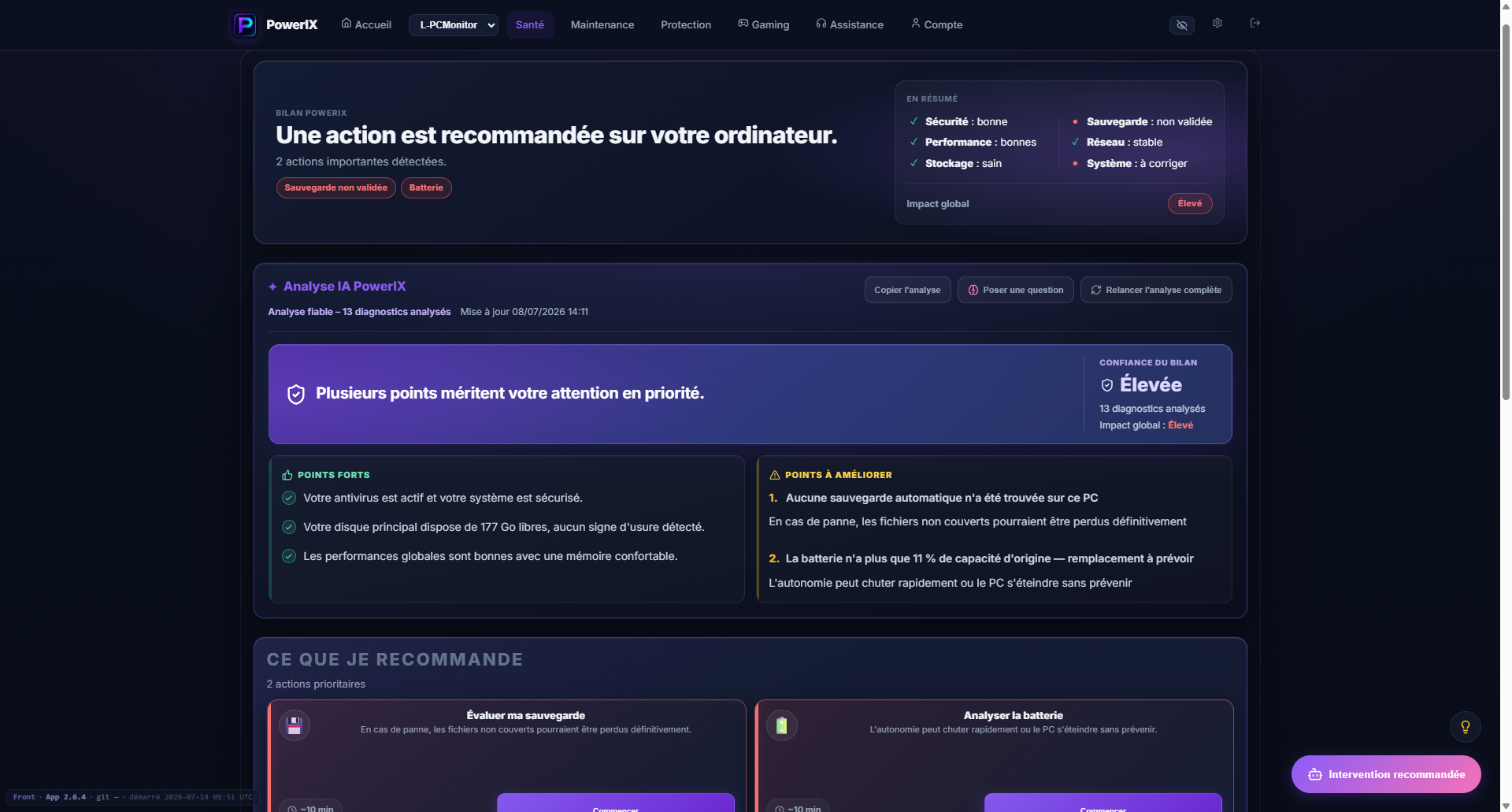
PowerIX diagnostic example
After signup, PowerIX shows your PC status, items to watch, and priority actions in plain language.
- PC health score;
- important issues highlighted;
- AI summary to understand what to do.

More than 20 years of experience in IT, operations, monitoring, and user support. Creator of PowerIX @ Home.
Frequently asked questions
Why does Windows Update stay stuck?
Common causes are low space, corrupted cache, blocked service, unstable connection, or damaged system files.
Is it dangerous to stop the PC during an update?
Yes, especially during installation. If the PC seems stuck for a very long time, diagnose properly before forcing repeated actions.