Common symptoms
- pop-up ads
- browser changed
- antivirus disabled
- PC suddenly slow
- unknown software installed
Possible causes
The same symptom can have several origins. The most common causes are:
- doubtful download
- malicious browser extension
- infected attachment
- pirated software
- fake tech support alert
- compromised password
Why not ignore this issue?
An issue that seems tolerable today can become more disruptive over time: wasted time, less protected data, weaker security, or a failure at the wrong moment.
- ransom demand
- encrypted files
- suspicious transactions
- antivirus impossible to re-enable
What you can check without taking risks
- do not call a number shown in an alert
- sign out of sensitive accounts if in doubt
- check antivirus
- avoid entering passwords
- back up important files
Before heavy system changes, back up your important files. PowerIX prioritizes diagnostics and user-approved actions.
Signals that should prompt a quick response
- ransom demand
- encrypted files
- suspicious transactions
- antivirus impossible to re-enable
How PowerIX @ Home helps diagnose
PowerIX @ Home checks Windows security signals, antivirus, firewall, software, and alerts to guide cleanup actions.
See the related PowerIX diagnostic: Antivirus diagnostic: protection, threats, and infection signs →
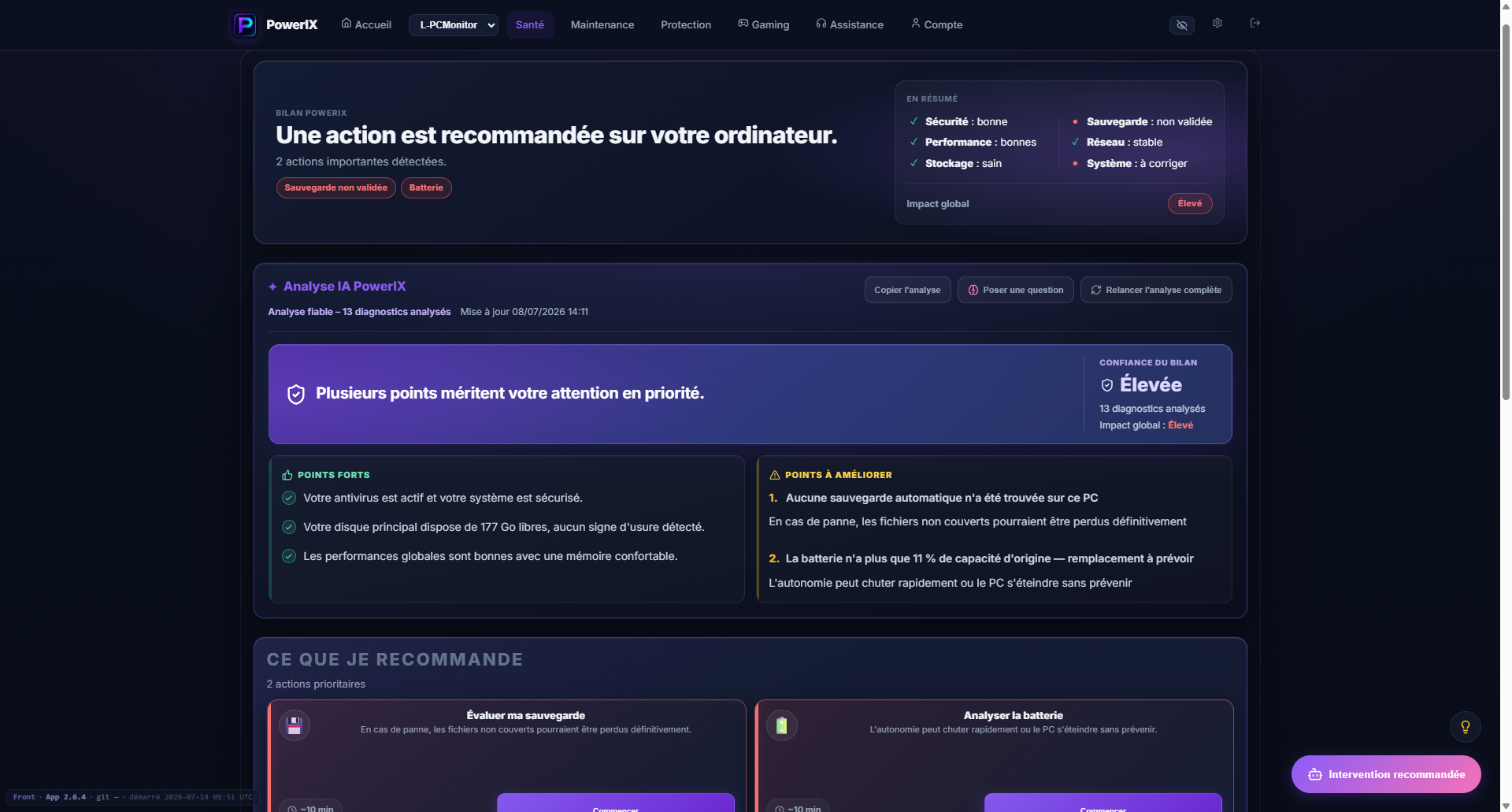
PowerIX diagnostic example
After signup, PowerIX shows your PC status, items to watch, and priority actions in plain language.
- PC health score;
- important issues highlighted;
- AI summary to understand what to do.

More than 20 years of experience in IT, operations, monitoring, and user support. Creator of PowerIX @ Home.
Frequently asked questions
How do I know if my PC has a virus?
Common signs are sudden slowness, ads, disabled antivirus, changed browser, unknown software, or suspicious security messages.
Should I unplug Internet?
With ransomware, account theft, or strong suspicious activity, cutting Internet can limit risk while you analyze.