Family photos
Spot missing or failing backups before you lose precious memories.
PowerIX is a Windows app that monitors your PC, checks your backups, and alerts you before a major issue occurs.
Need an on-site technician? See PowerIX Informatique services
PowerIX watches your computer before problems affect what truly matters.
Spot missing or failing backups before you lose precious memories.
Keep a reliable machine for paperwork, bills, and everyday admin.
Check that antivirus, firewall, and updates still protect your PC.
Anticipate slowdowns, freezes, and incidents that always happen at the worst time.
A configured backup is not always a working backup. PowerIX helps you verify what truly protects your data.
A block designed to grow with real platform data, even when volumes remain modest.
Technical detail remains available, but PowerIX starts with what matters: what slows you down, what protects poorly, and what may break.
PowerIX spots common causes and points you to the lowest-risk actions.
Disk, battery, updates, and warning signs are monitored regularly.
Antivirus, firewall, and updates are checked automatically.
PowerIX does not just see that a backup exists: it checks its actual state.
One dashboard for the whole family, with alerts to handle first.
PowerIX suggests, explains, then lets you approve important actions.
PowerIX links temperature, GPU drivers, RAM, and disk to explain why games slow down — without promising a miracle optimization.
See whether the issue comes from GPU, CPU, RAM, or a background process.
Graphics drivers and gaming setup: detailed diagnostics remain available.
For users who want to understand more, PowerIX keeps detailed diagnostics on performance, network, security, and Windows health.
Free signup. No credit card required to start.
Guided installation on your Windows PC in a few minutes.
See whether your PC is healthy, protected, and properly backed up.
Real interface screenshots showing the kind of summary, priorities, and guided actions available after install.
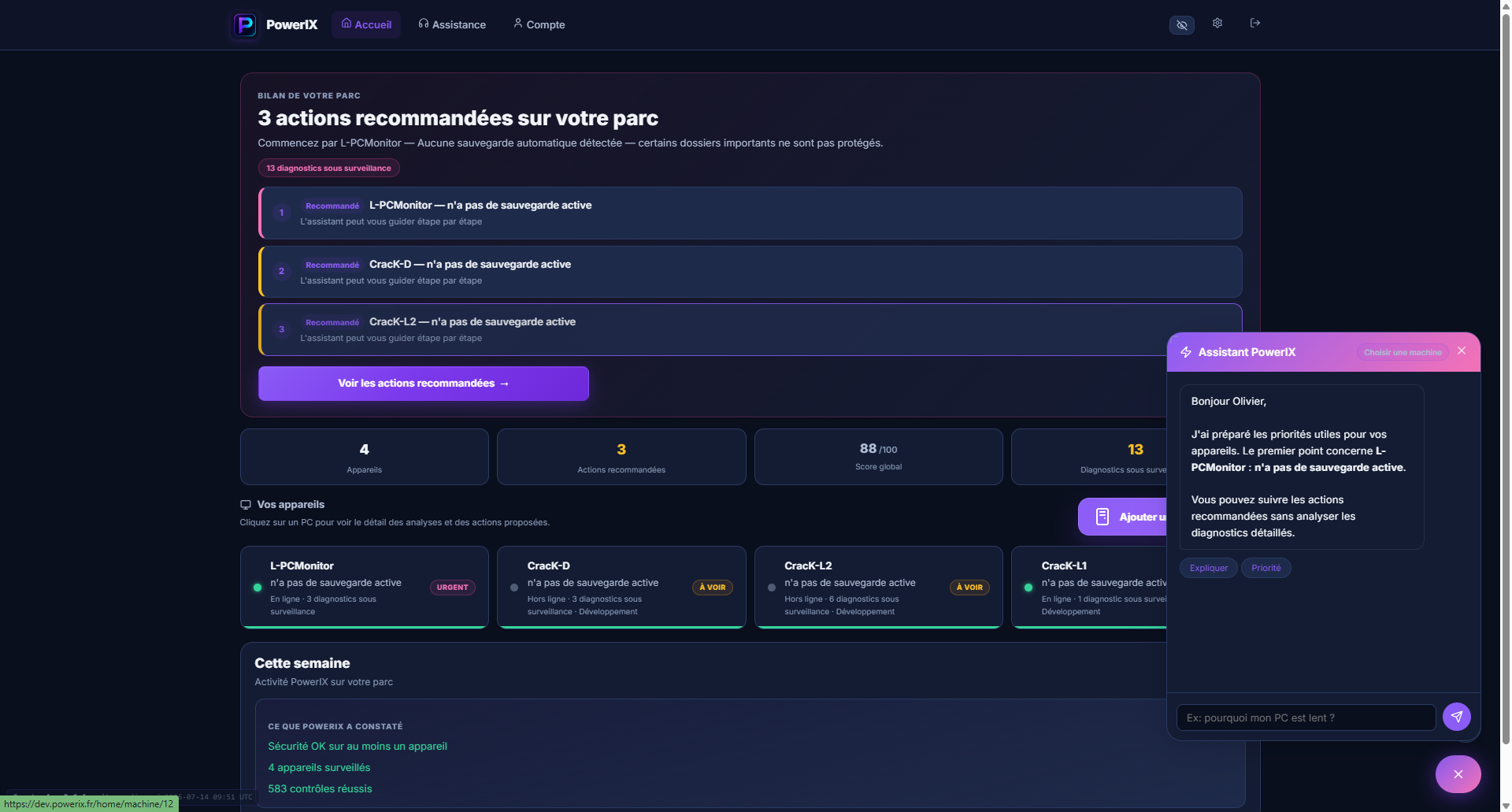 Your devices, overall score, and priorities to address — with the assistant to guide you.
 Backup and battery flagged: AI analysis explains the issue and what to do.
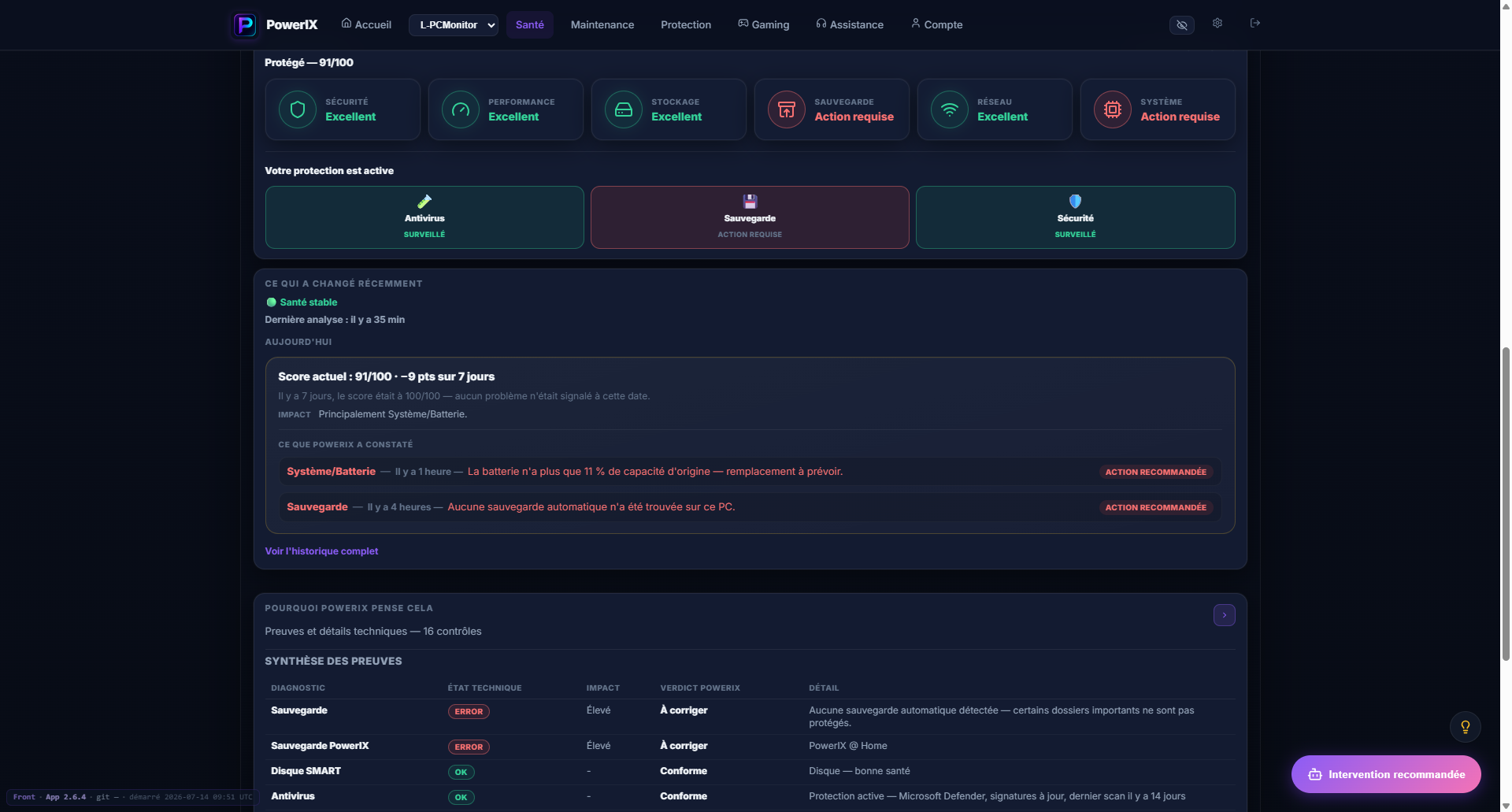 91/100: what looks good, what needs action, and why PowerIX flags it.
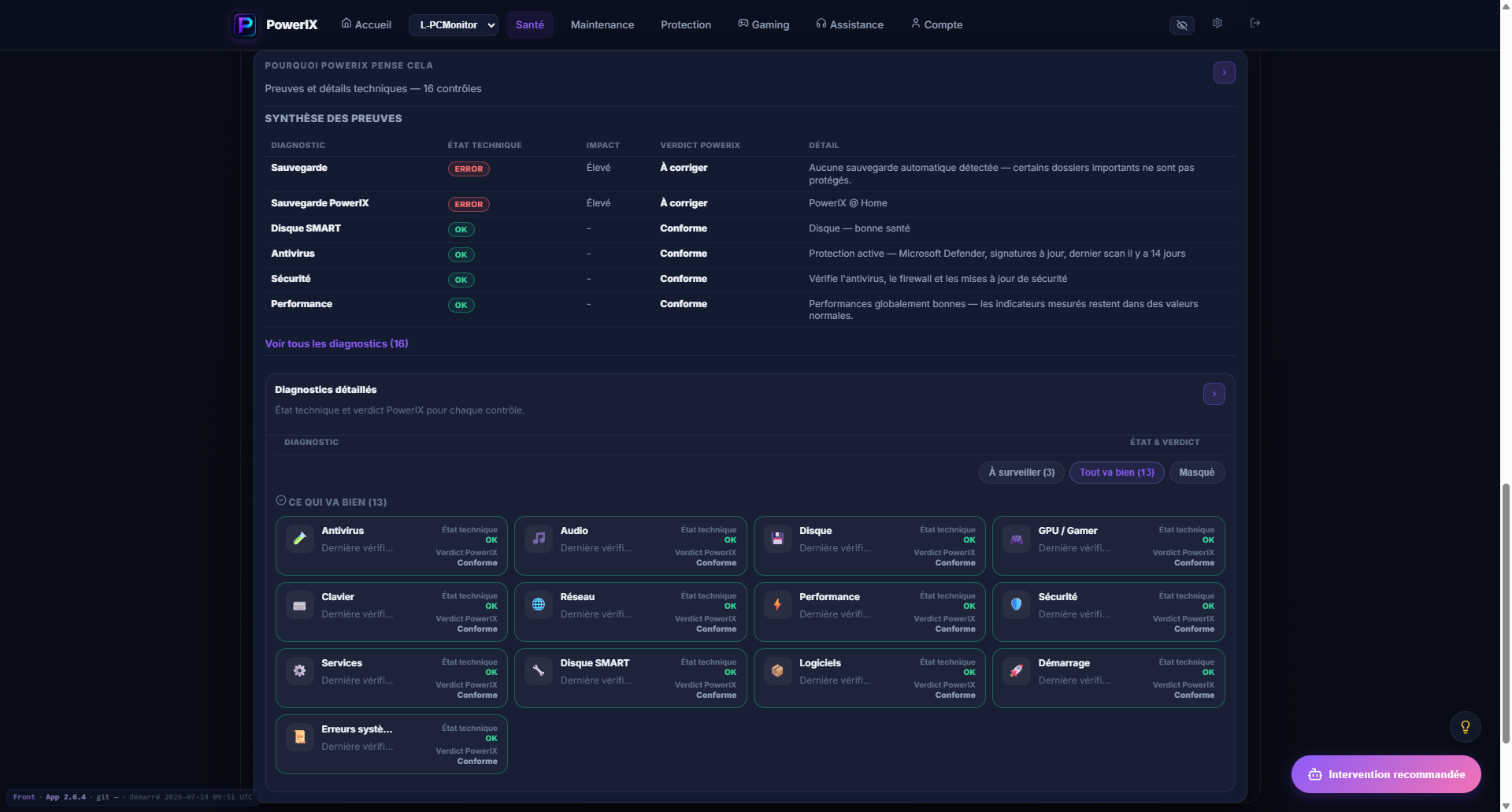 Alert summary and detail for each check — to understand every verdict.
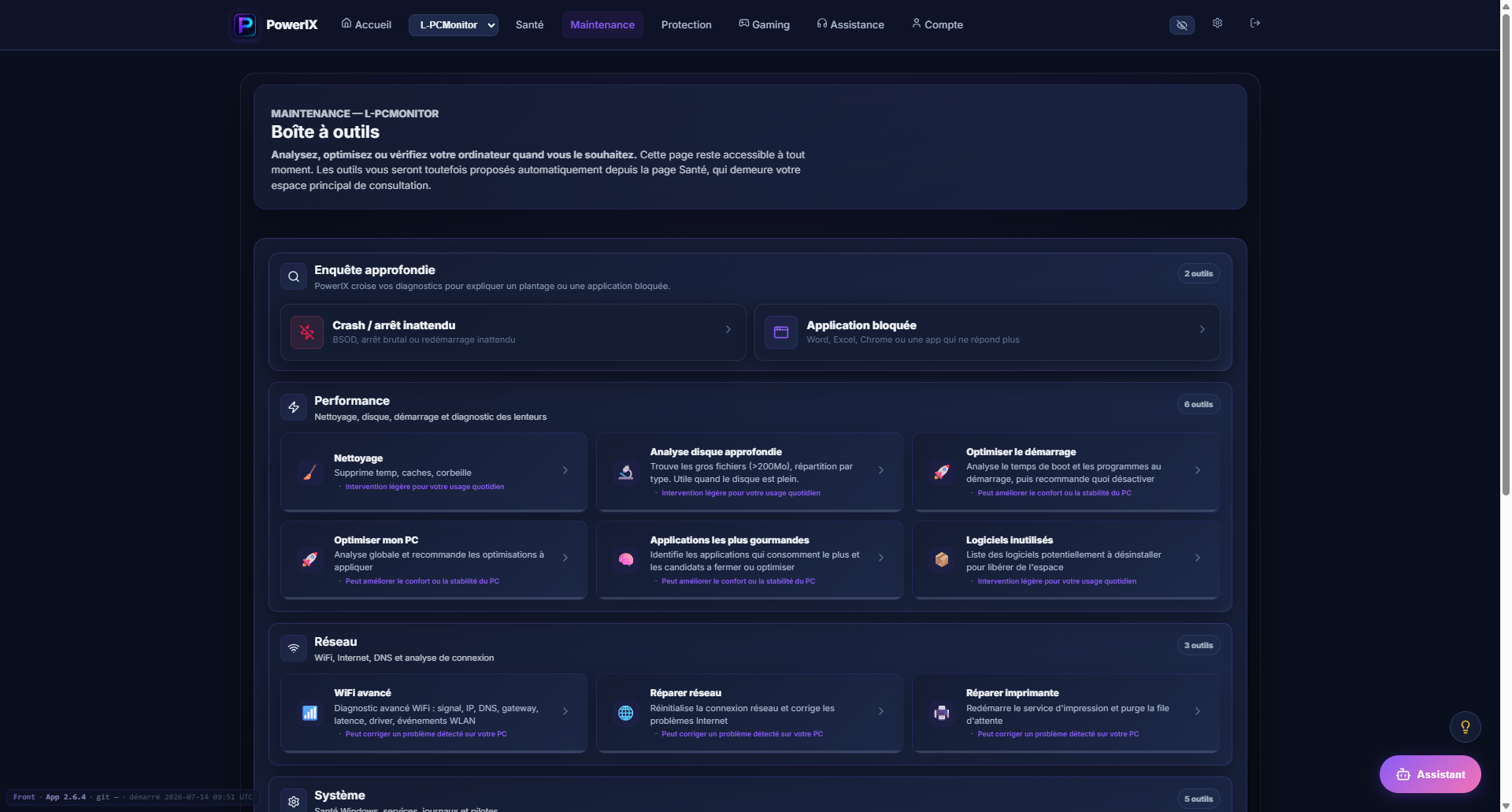 Performance, network, crashes: guided tools to act on your own day to day.
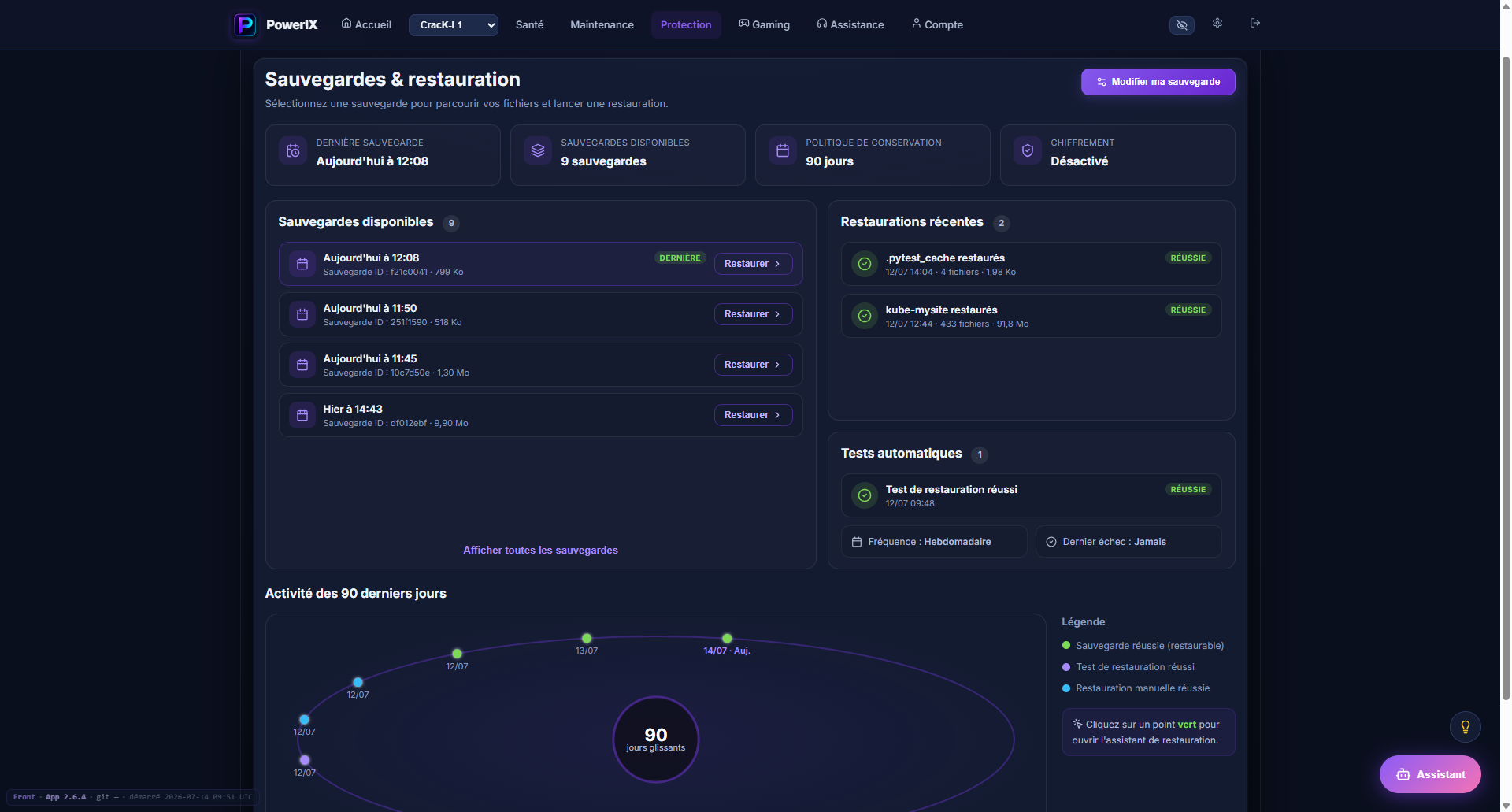 90-day history, automatic tests, and one-click restore.
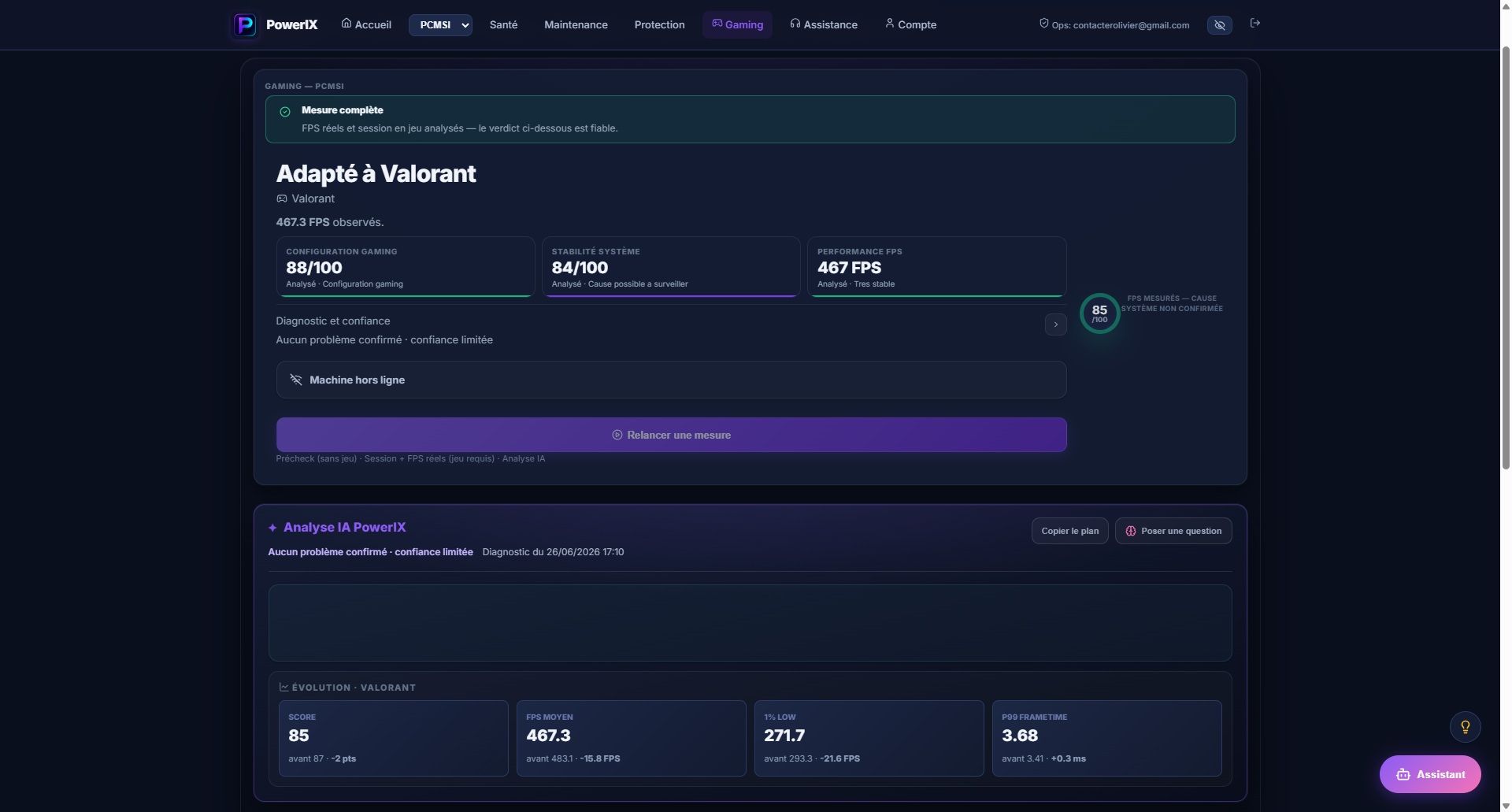 In-game FPS measured, system stability, and performance trend.
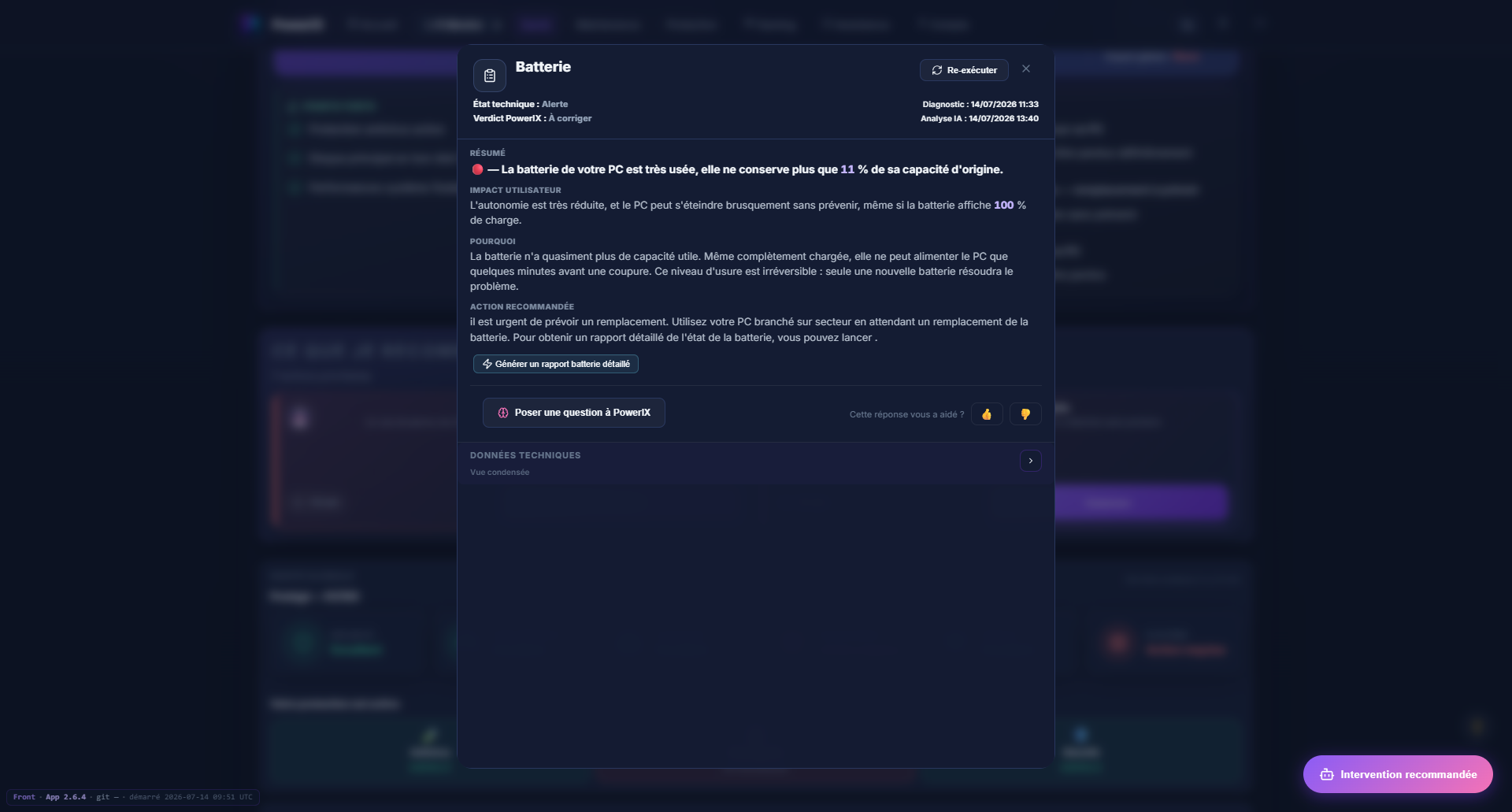 Battery at 11% capacity: explanation, impact, and what to do right away.
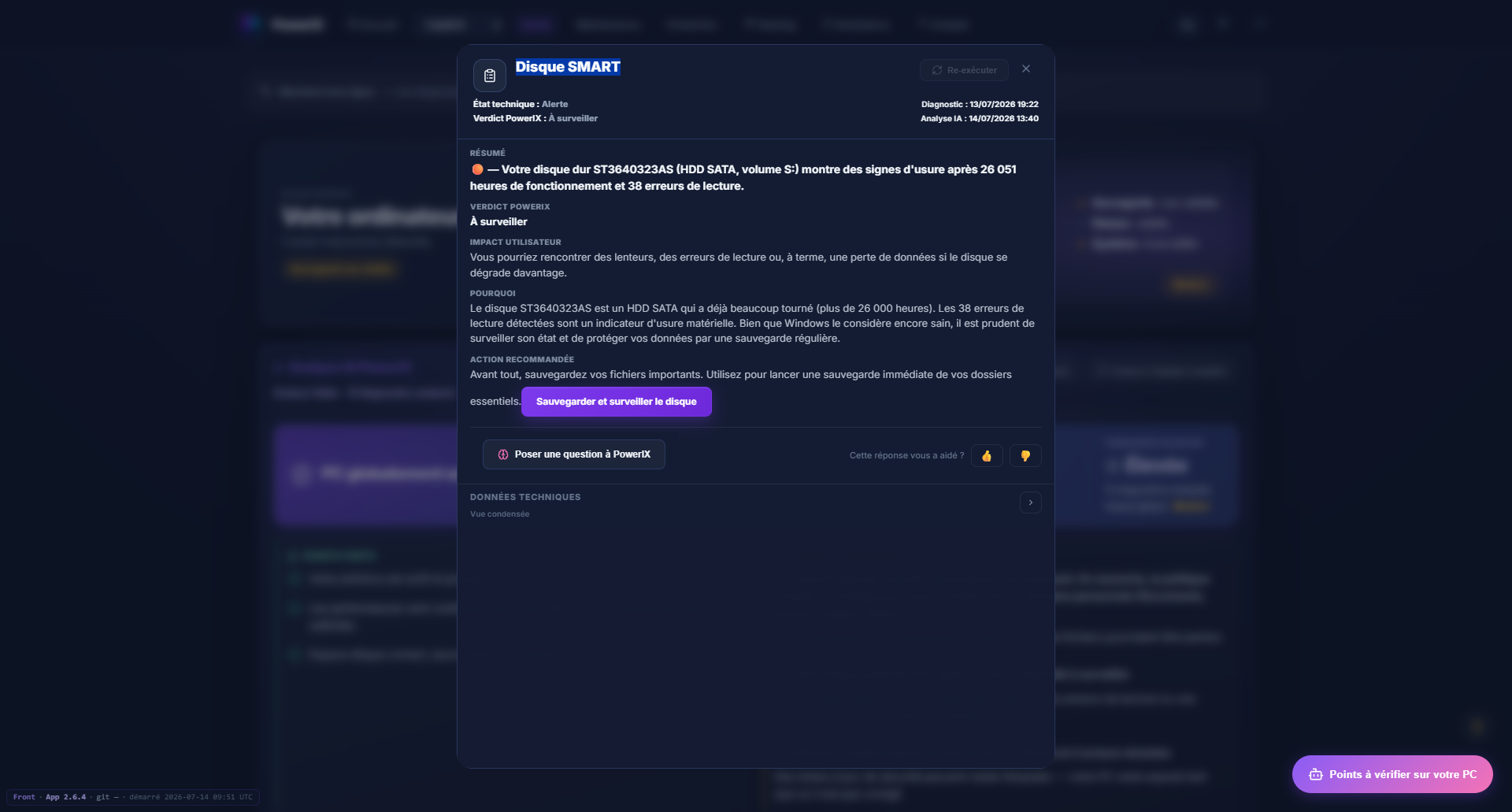 Drive wear detected: technical evidence turned into concrete advice before failure.
Start free, add advanced monitoring or online backup if you need it.
PowerIX is designed for clear, careful, understandable use.
Technical data is hosted within a European framework.
PowerIX does not read your photos, documents, passwords, or emails.
No important action runs automatically without your consent.
Find out in under 3 minutes:
A small Windows agent that collects technical information useful for diagnostics. It can be uninstalled.
No. PowerIX does not read your photos, documents, emails, or passwords. Diagnostics focus on the PC's technical state.
Not always. A backup may be stopped, full, or impossible to restore. PowerIX highlights that risk.
No. Results are written in plain language, with technical detail available for those who want to go further.
No. PowerIX is a prevention app that monitors your PC and alerts you before incidents. It is not on-site repair or managed IT. PowerIX Informatique offers a separate home service.
PowerIX @ Home currently targets Windows 10 and Windows 11.